 MapleBooks
Invoice clients.
Scan receipts.
Track expenses.
MapleBooks helps small service businesses keep everyday money work tidy — from client invoices and receipt OCR review to expense tracking and exports.
Guided beta on iPhone and TestFlight.
The simple money tracker between scattered notes and a heavyweight system.
MapleBooks is for owners who need practical records without wrestling with a heavyweight system. It keeps the daily loop clear: bill the client, capture the receipt, record the expense, and export the files.
Get invoices out faster
Create and share client invoices from your phone so work can turn into cash without waiting until desk time.
Stop losing receipts
Scan or upload receipts, review extracted fields, and keep the original image attached to the record.
Know what you spent
Track vendor, category, date, tax, and total so your expenses are easier to review later.
Export when it matters
Download invoices, receipt packs, CSV files, and backup records for your own review or handoff.
Everything in the first MapleBooks beta is focused on the day-to-day recordkeeping loop.
Invoices
Create invoices with client details, line items, tax, totals, notes, status tracking, and PDF export.
Receipt OCR
Scan a receipt with your camera or upload an image. MapleBooks extracts likely receipt fields so you can review and correct them before saving.
Expenses
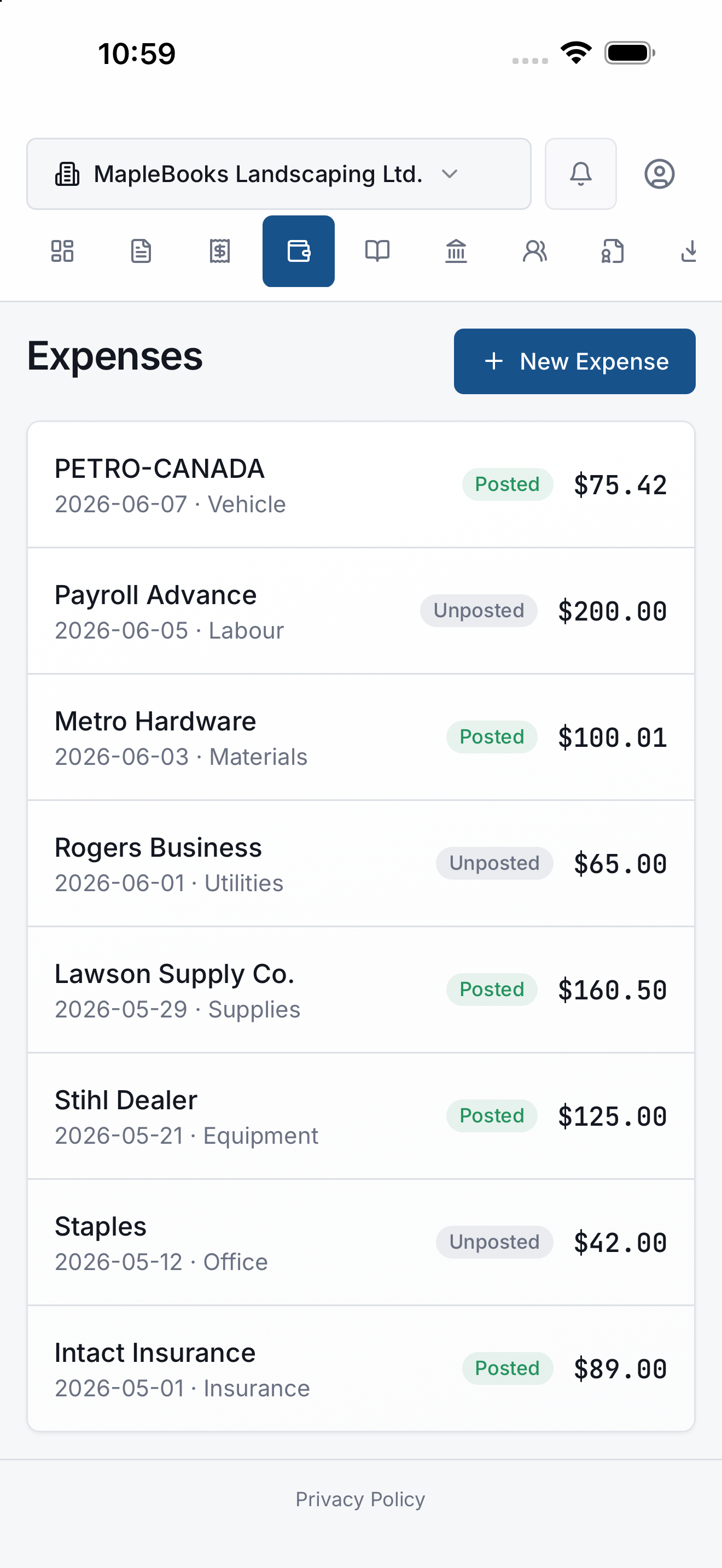
Create expenses manually or from saved receipts. Keep vendor, category, date, tax, total, notes, and receipt links together.
Books visibility
See basic books records created from invoices and expenses so you have a clearer view of what has been recorded.
Exports
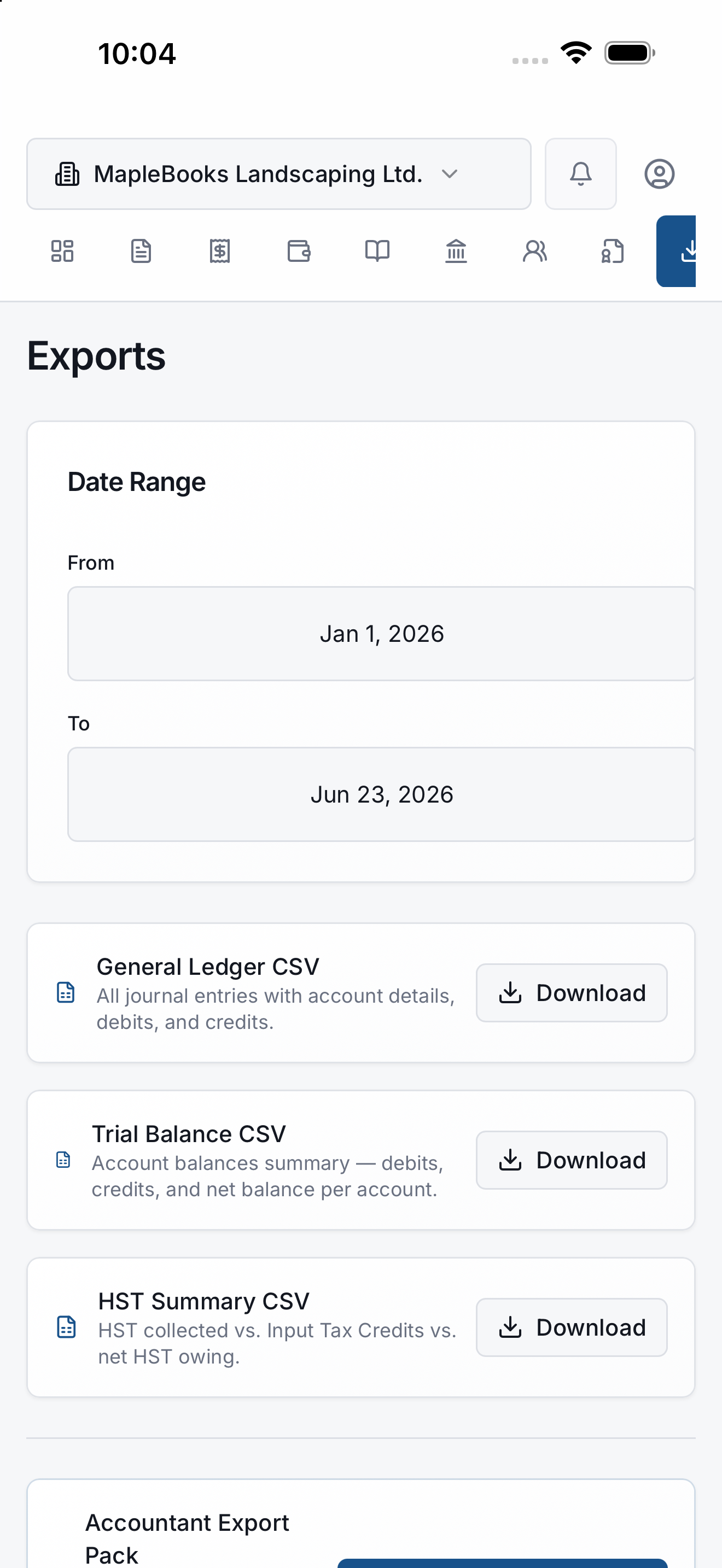
Share invoice PDFs and export record packs or CSV files from your device when you need to save or send your records.
Mobile-first workflow
Built around iPhone workflows for owners who handle admin between jobs, visits, errands, and the end of the day.
See MapleBooks in action
App previews from the current MVP build on iPhone.
Know Your Business
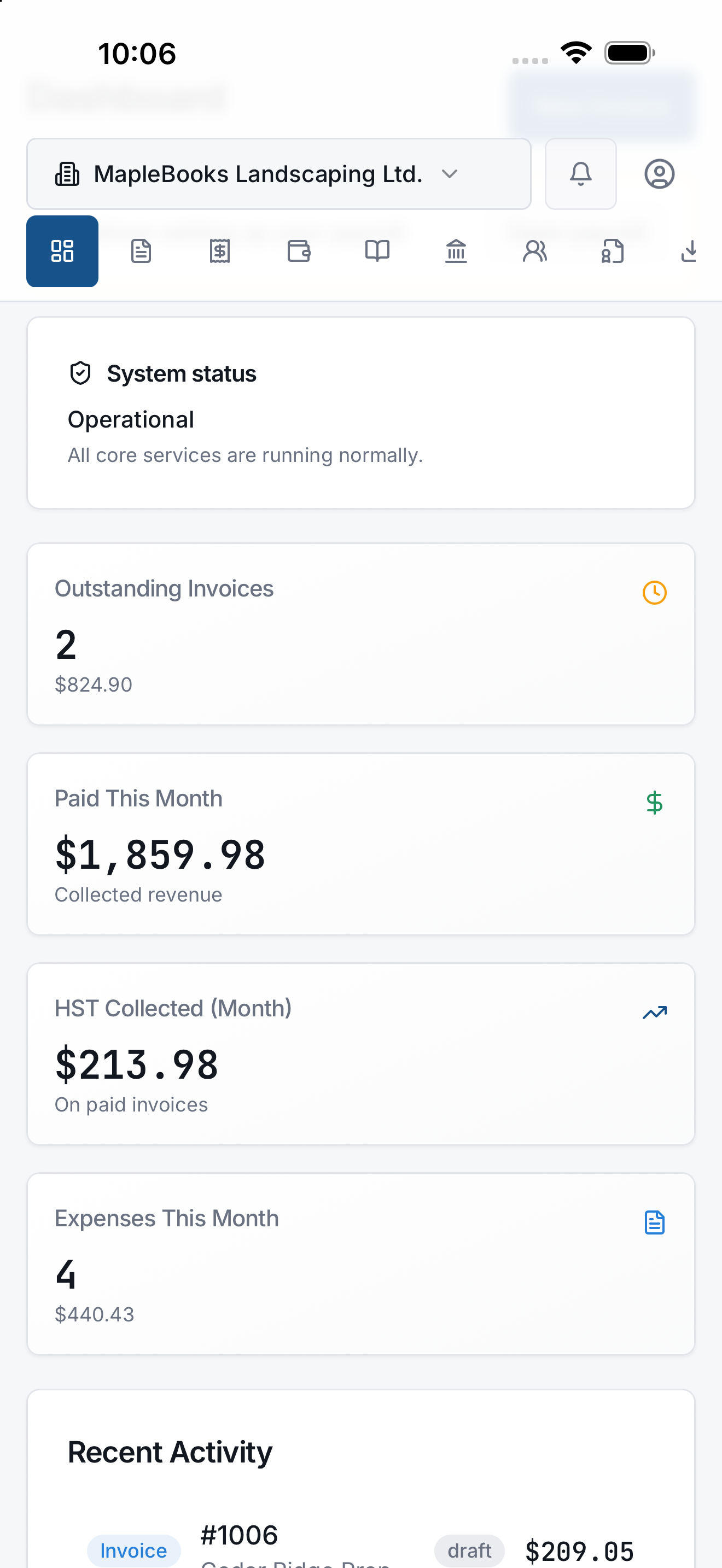
Dashboard KPIs and recent activity at a glance.
Create Professional Invoices
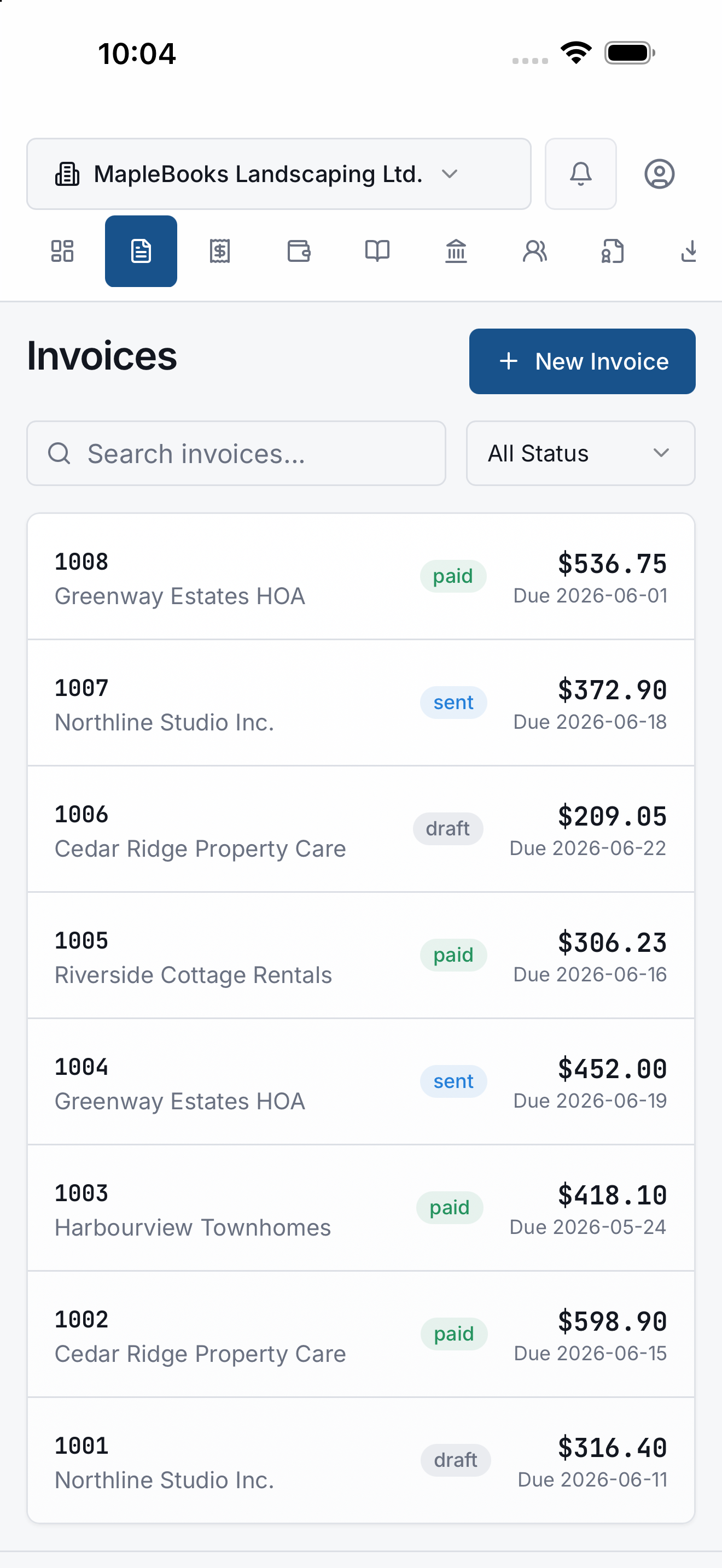
Ontario HST, line items, and paid status.
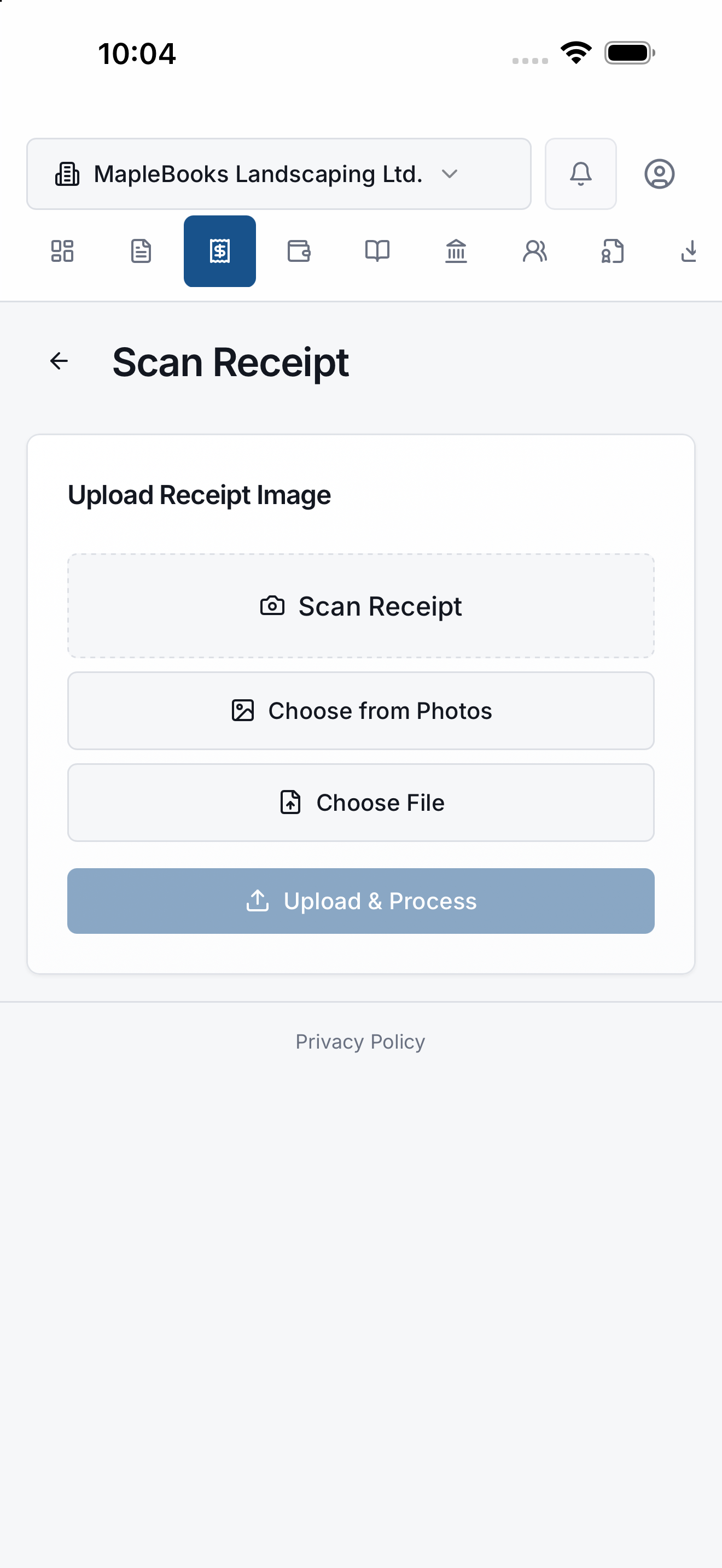
Scan Receipts with AI
Review OCR fields before posting to books.
Track Every Expense
Categories and receipt links in one list.
CRA Ready Reports
Ledgers, HST summaries, and export packs.
How it works
Four steps to keep your everyday money records organized.
Create an invoice
Add client details, line items, and tax. Share a PDF when the job is done.
Scan a receipt
Use your camera or upload a photo. Review OCR fields before saving.
Track the expense
Turn receipts into expenses with vendor, category, date, and tax attached.
Export your records
Download PDFs, CSVs, or record packs when you need them for review or handoff.
Made for owners who do the work and the admin.
MapleBooks is being shaped for small Ontario service businesses and self-employed workers who need a lighter way to keep invoices, receipts, expenses, and exports organized.
Clear scope, no mystery promises.
MapleBooks is not a payroll product, tax filing service, CRA filing tool, or full accounting suite. The beta is focused on invoices, receipt OCR review, expense tracking, basic books visibility, and exports.
Coming next
Areas in development for future MapleBooks releases. None of these are marketed as available today.
CRM
Lightweight client contact management to support repeat invoicing and service businesses.
Banking imports
CSV import and transaction review workflows to help reconcile everyday spending.
Payroll tools
Early payroll preparation screens exist in the app but are not production-ready payroll software.
CRA tools
Preparation and export helpers only. MapleBooks does not submit filings to CRA or any government system.
AI insights
Internal review and forecast helpers in exploration. Not an AI bookkeeping assistant and not available as a finished product today.
Roadmap items may change, pause, or ship in a different order. Current beta scope remains invoices, receipt OCR review, expense tracking, basic books visibility, and exports.
Frequently asked questions
Want to test MapleBooks with real invoices and receipts?
Join the guided beta and help shape a practical invoicing and receipt tracker for Ontario micro-business owners.